Introduction: The Rise of WhatsApp for Business Communication
With over 2 billion active users, WhatsApp has evolved from a simple messaging tool into one of the world’s most powerful business communication platforms. In 2025, businesses of every size are using WhatsApp not only for chatting but also for marketing, sales, and customer support.
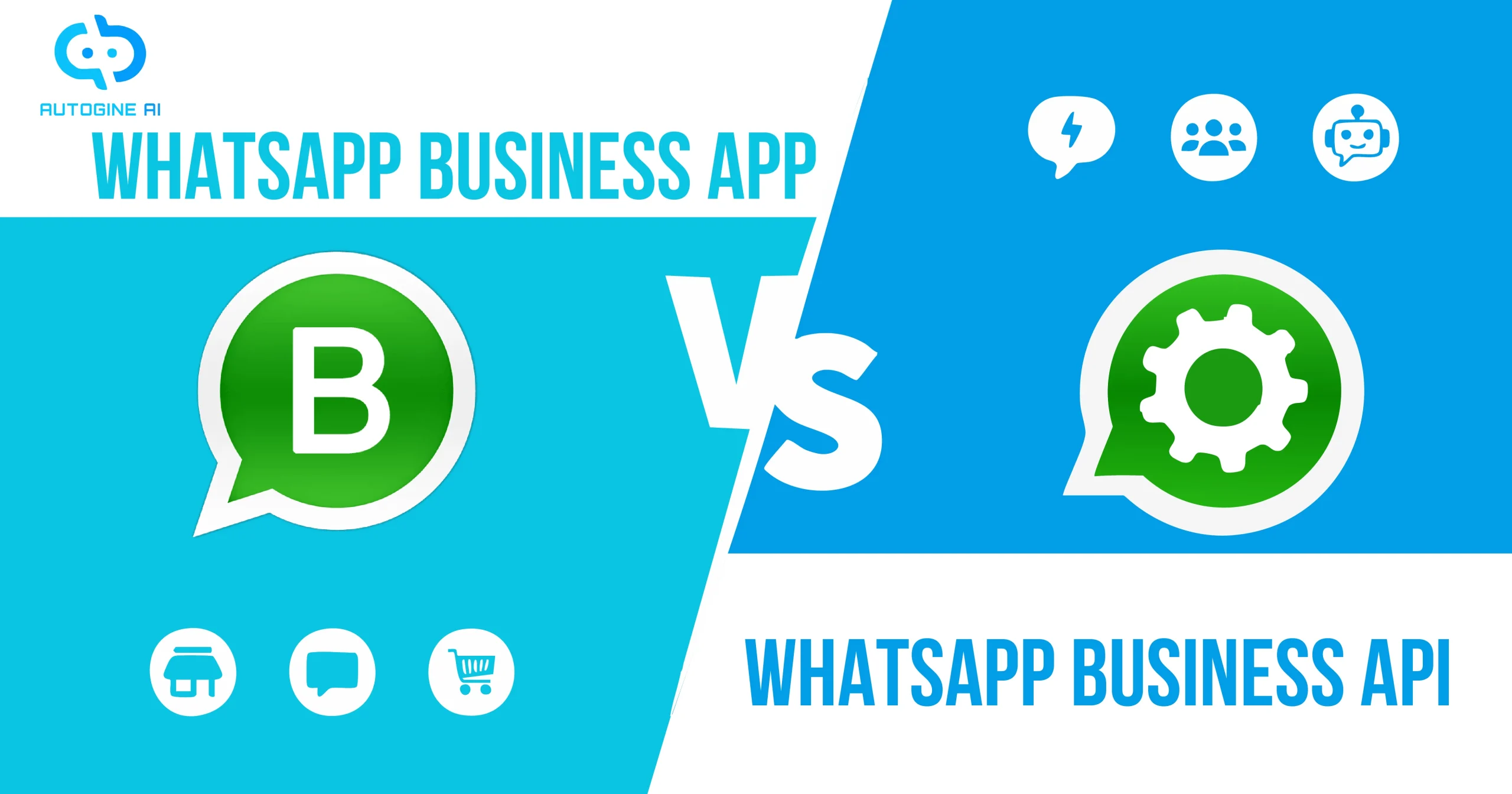
However, when it comes to using WhatsApp professionally, companies often face a key question — should they use the WhatsApp Business App or upgrade to the WhatsApp Business API?
Both are official products from Meta, but they serve different business needs. The App is ideal for small businesses that want a personal touch, while the API is built for larger companies aiming for automation, scalability, and deeper customer engagement.
In this detailed guide by Autogine AI, we’ll explore both solutions, their features, and which one can help your business grow faster in 2025.
What Is the WhatsApp Business App?
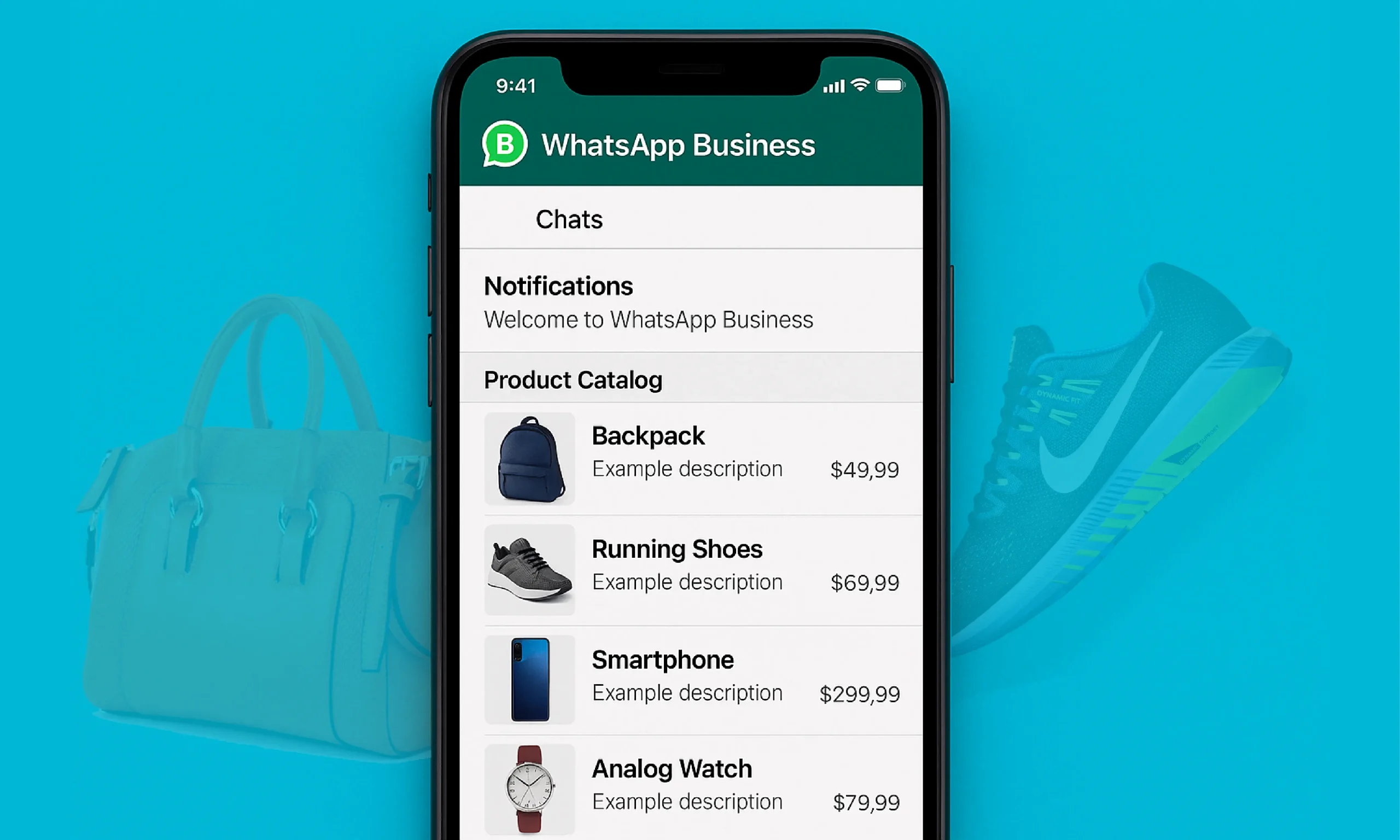
The WhatsApp Business App is a free mobile application created for small businesses, local sellers, and startups. It enables business owners to communicate directly with customers through simple, user-friendly features designed for convenience.
Key features include:
• Quick Replies to respond faster to common customer questions
• Labels to organize chats by status (new, paid, pending, etc.)
• Product Catalogs to showcase services or products
• Auto Greeting and Away Messages to maintain professionalism even when offline
This app is perfect for businesses handling a limited number of customers daily — such as boutiques, cafés, local services, or delivery shops.
However, the WhatsApp Business App has some limitations. It only works on one device at a time, offers no multi-agent support, and lacks advanced automation. Once your business starts scaling, managing all messages manually can become overwhelming.
What Is the WhatsApp Business API?
The WhatsApp Business API is the advanced, scalable version of WhatsApp built for medium and large enterprises that require automation, multi-agent access, and integration with CRM or marketing tools.
Unlike the App, the API doesn’t have a graphical interface — it connects directly to business platforms such as Autogine AI, which allows companies to manage thousands of messages, automate workflows, and analyze customer behavior at scale.
Through the API, businesses can:
• Send automated messages and notifications
• Use AI-powered WhatsApp Chatbots for customer service
• Connect multiple team members under one verified number
• Integrate with CRM and e-commerce platforms such as Shopify, Zoho, and HubSpot
• Get Meta Business Verification for brand authenticity and the Green Tick badge
The WhatsApp Business API is best suited for e-commerce stores, banks, healthcare institutions, logistics companies, and customer support teams that handle high message volumes every day.
How to Set Up Each Version
Setting up the WhatsApp Business App
1. Download the app from the Google Play Store or Apple App Store.
2. Register your official business number.
3. Add your business name, hours, and product catalog.
4. Set up greeting and away messages to automate basic responses.
This setup is quick, free, and ideal for beginners just starting with WhatsApp Marketing
Setting up the WhatsApp Business API
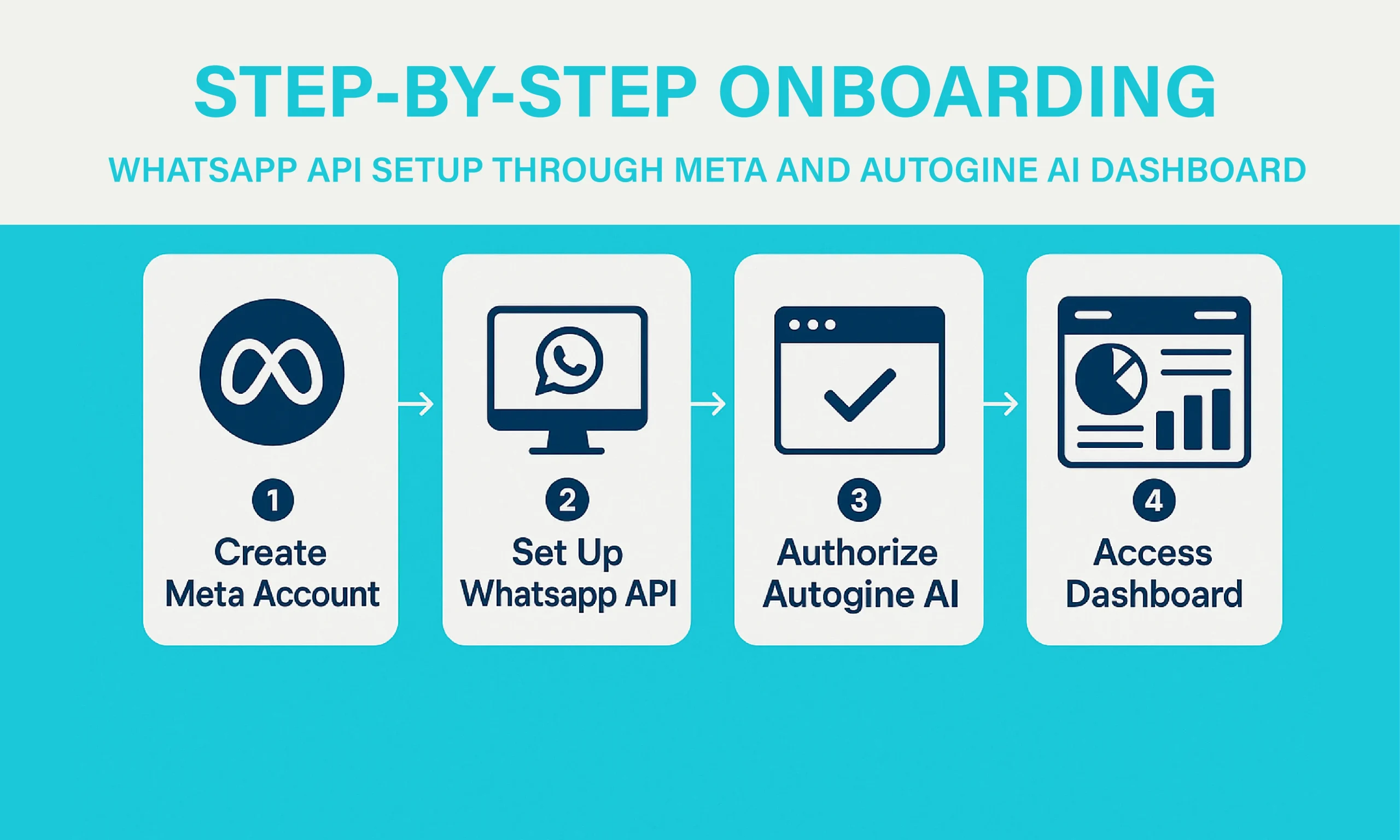
1. Create a Meta Business Manager account.
2. Complete Meta Business Verification by submitting company documents and domain proof.
3. Choose a Business Solution Provider (BSP) — like Autogine AI.
4. Connect your phone number to the Meta Cloud API.
5. Automate your messaging flows and start engaging customers at scale.
Once integrated, you can manage messages, track analytics, and automate marketing campaigns with ease.
When Should You Switch from App to API?

You should consider switching to the WhatsApp Business API when:
• Your business receives hundreds of messages every day
• You want to automate marketing and customer support
• You need multi-agent collaboration
• You want to track analytics, engagement, and performance metrics
For example, an online fashion brand can use Autogine AI with the WhatsApp Business API to automate order confirmations, delivery updates, and promotional broadcasts — all while keeping the personal touch customers expect.
Real-World Use Cases of WhatsApp Business API E-Commerce

Send personalized order confirmations, restock alerts, and delivery updates automatically. Use WhatsApp Automation to recover abandoned carts and boost conversions.
Healthcare
Automate appointment scheduling, send reminders, and securely deliver lab results or digital prescriptions.
Finance
Provide instant account notifications, OTPs, payment alerts, and loan updates — ensuring customer security and convenience.
Education
Automate course inquiries, admission updates, and student reminders while keeping engagement high through WhatsApp Chatbots.
Using Autogine AI, businesses can centralize all these functions through one intelligent Business Solution Provider (BSP) dashboard.
Pricing: WhatsApp Business App vs WhatsApp Business API
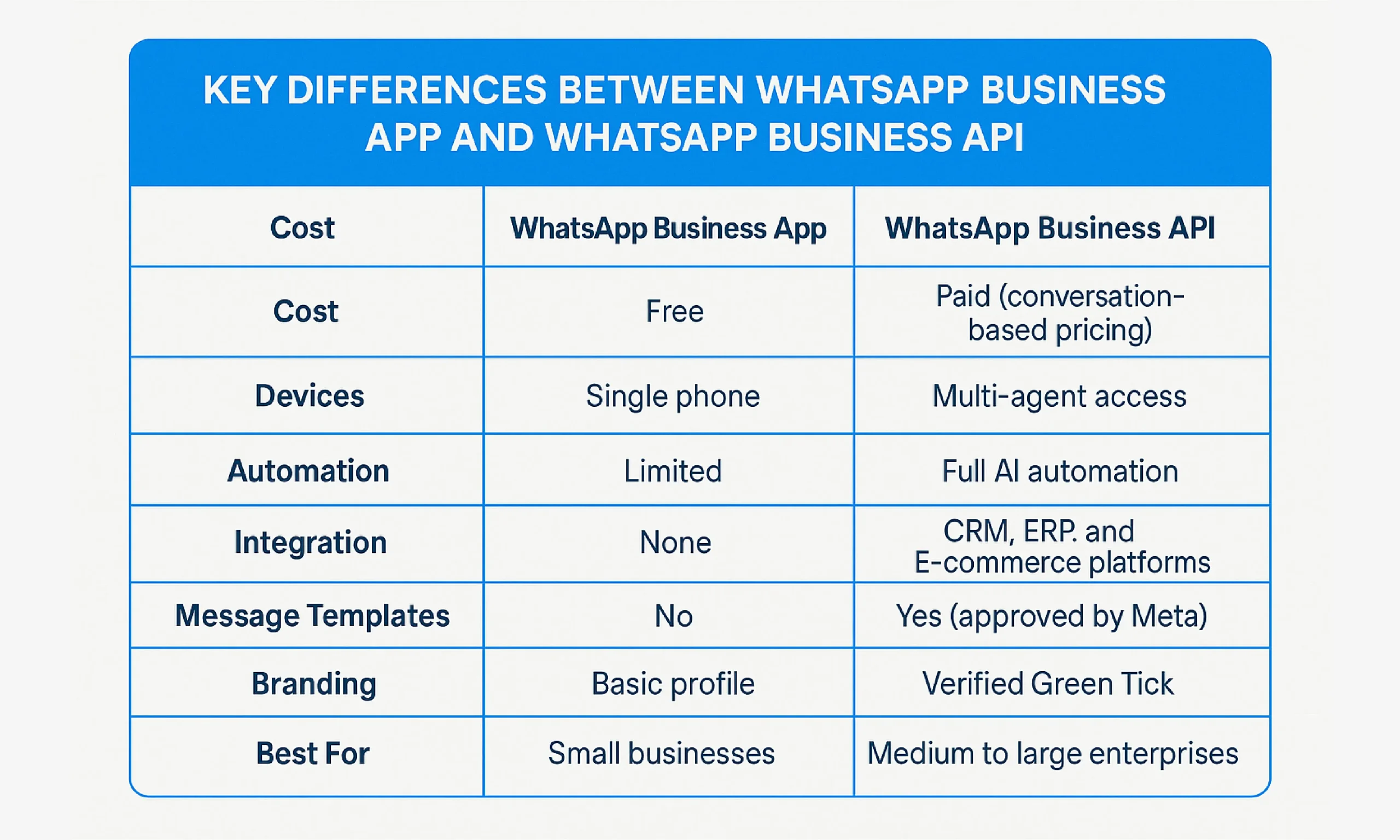
• WhatsApp Business App — 100% free.
• WhatsApp Business API — Paid (conversation-based pricing determined by Meta).
Meta offers 1,000 free service conversations per month to help businesses get started. Costs vary by message type and region.
With Autogine AI, businesses can use optimized templates and AI-driven scheduling to minimize unnecessary paid messages and maximize ROI.
Security and Verification

Both the App and API maintain Meta’s end-to-end encryption, ensuring messages stay private. However, the API takes security further with Meta Business Verification and the Green Tick badge, signaling to customers that your brand is authentic and trustworthy.
Verification not only boosts customer trust but also improves WhatsApp Marketing performance by increasing open and response rates.
Best Practices for Using WhatsApp Business Tools
• Always use Meta-approved templates for promotional and service messages.
• Collect opt-in consent before launching campaigns.
• Personalize your communication using customer names and order data.
• Keep your tone friendly and conversational, not robotic.
• Use the Autogine AI Analytics Dashboard to monitor engagement.
• Follow Meta official Business Policy to avoid account bans or message delivery issues.
Frequently Asked Questions (FAQs)
Is WhatsApp Business API free?
No. The WhatsApp Business API operates on conversation-based pricing. However, Meta gives 1,000 free monthly service messages.
Which is better — WhatsApp Business App or API?
The App is perfect for small-scale communication, while the API is designed for growing businesses needing automation, analytics, and multiple agent access.
How can I get the Green Tick?
Apply for Meta Business Verification through your Meta Business Manager dashboard.
Can I use both on the same number?
No. Once a number is registered on the API, it cannot be used on the Business App.
Can I automate messages with the API?
Yes. Platforms like Autogine AI allow businesses to send order updates, support messages, and WhatsApp Marketing campaigns automatically.
Conclusion: Which One Is Right for Your Business?
If you’re a small business or local store just starting out, the WhatsApp Business App offers all the essential tools you need to connect with customers easily and at no cost.
But if your company is scaling — managing multiple agents, handling large chat volumes, and needing automation — the WhatsApp Business API is the right choice.
With Autogine AI, you can get verified, automate your workflows, manage campaigns, and monitor analytics — all within a single intelligent platform.
Ready to take the next step?